
Guides
Part of Background Briefing Guide for Newsrooms
How to build an explanatory package without repeating one article nine times
Explanatory news package workflow for defining the audience, assigning components, checking evidence, coordinating visuals, editing, publishing, and updating.
What to take away
- Set one audience, one main question, and one publishable answer.
- Assign each component a distinct job before reporting begins.
- Keep a shared claim ledger instead of copying facts between drafts.
- Design charts, maps, timelines, and glossaries around reader tasks.
- Test the full package as one product before release.
An explanatory package combines several forms to answer a subject one article cannot handle. It might include a main briefing, timeline, data note, process diagram, or glossary.
A profile, question page, or document reader fills gaps. More pieces do not guarantee more understanding; each needs a defined purpose and must add material others do not repeat. The main briefing follows the background briefing guide.
Step 1: write the package contract
Package contract fields
- Target reader
- Question that brings them
- Main answer
- Evidence threshold
- Geographic and time boundaries
- Update conditions
Turn broad topics into usable questions. "Water policy" is a subject. "How will the new reservoir rule change summer restrictions for households in this county?" is an assignment.
Photo and credit
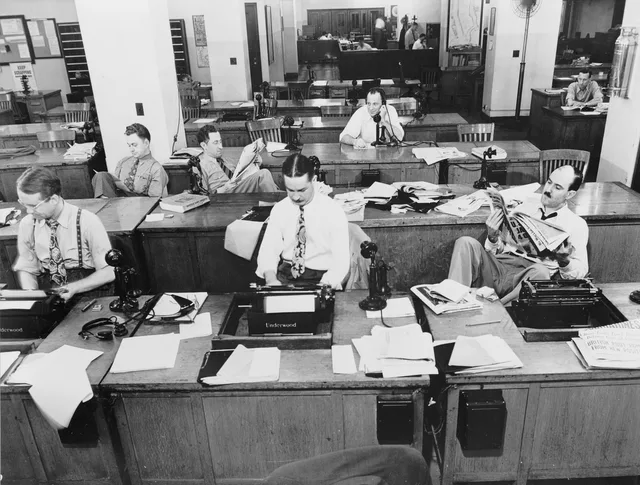
The historical image illustrates document-based reporting. It does not depict a current newsroom or any event discussed here.
Step 2: assign one job to each component
| Component | Reader job | Required material |
|---|---|---|
| Main briefing | Understand the present situation | Direct answer, stakes, evidence, uncertainty |
| Timeline | See consequential sequence | Selected dated events and why each matters |
| Process guide | Follow a formal path | Stages, decision makers, deadlines, outcomes |
| Data note | Judge scale or trend | Definitions, units, denominator, methods, limits |
| Map | Locate authority, exposure, or movement | Boundary, legend, date, scale, source |
| Glossary | Decode recurring terms | Plain definitions and meaningful distinctions |
| Profiles | Understand roles | Authority, actions, interests, relevant history |
| Document reader | Inspect a primary record | Passage, page, context, status, interpretation |
Kill a proposed component if its job duplicates another piece. A timeline should not become the main article cut into dated fragments. A glossary should define terms, not restate the entire briefing. Timeline entries have their own selection rules in the news timeline method.
Component jobs and material
Component
- Main briefing
- Understand present situation
- Timeline
- See consequential sequence
- Process guide
- Follow a formal path
- Data note
- Judge scale or trend
- Map
- Locate authority or exposure
- Glossary
- Decode recurring terms
Reader job
- Main briefing
- Answer, stakes, evidence
- Timeline
- Dated events and why
- Process guide
- Stages, deadlines, outcomes
- Data note
- Units, methods, limits
- Map
- Boundary, legend, scale
- Glossary
- Plain definitions
Required material
- Main briefing
- Timeline
- Process guide
- Data note
- Map
- Glossary
Step 3: create a shared claim ledger
Give every material claim an identifier. Record its exact wording, source, version, date checked, status, owner, and every component that uses it. The ledger prevents one article from retaining an old number after another has been corrected.
Shared claim ledger fields
- Claim identifier
- Exact wording
- Source and version
- Date checked
- Status and owner
- Components that use it
Separate claims from editorial conclusions. "The agency published a 12 percent estimate" is a fact about publication. Whether the estimate signals a large change depends on the definition, comparison, uncertainty, and context. The developing story context checklist turns those questions into an editing pass between draft and publication.
Step 4: report gaps, not just assignments
Hold an early gap review. Ask which reader questions have no source, which claims rely on only one interested party, which terms change across documents, and which visual lacks usable data. Reassign the gap to a reporter or narrow the package promise. A public records request checklist can help reporters define scope and track responses when early gaps appear.
Do not hide a missing answer inside a long background section. State what remains unknown and why it matters.
Step 5: draft the main message first
The CDC's instructions for using its Clear Communication Index begin by defining the primary audience, communication objective, and main message. They ask whether the main message appears at the top and whether information is broken into headings, lists, and short sections.
The index was designed for public communication materials. Use its questions as an editing aid, not as a newsroom certification.
Draft a two-sentence package summary before the individual pieces. Every component should support, qualify, or use that summary. If new reporting changes it, update the contract and notify every component owner.
Step 6: coordinate visuals with words
Choose the visual form
What does the visual show?
Comparison or change -> chart
Spatial relationship -> map
Each visual needs a descriptive title, date range, units, source, and notes about definitions or revisions. Its caption should tell readers what they are seeing without claiming more than the data show. Chart-level checks appear in the guide to reporting statistics and polls as well.
Step 7: edit across the package
Run three reviews:
Three package reviews
- Evidence reviewcentral sentences match record
- Duplication revieweach component adds help
- Navigation reviewenter anywhere, find scope
The navigation review has a tested counterpart in usability practice. The federal plain-language guide to usability testing of content says such tests examine the content as a whole, not just individual paragraphs.
The technique helps when people must find information to understand it, and the guide describes government material, but the whole-product test applies to a news package.
Use one style sheet for names, dates, terms, units, and status labels. Resolve differences from the sources rather than choosing the most common draft wording.
Step 8: publish and maintain
Publish components only when their status is clear. A delayed map should not leave text that promises an absent map. Put an update owner and review trigger on every part. Triggers can include a scheduled vote, data release, court order, final investigation report, or correction.
When a source changes, search the claim ledger for every affected use. Update conclusions and visuals as well as the number itself.
Common questions
How many components should a package contain?
Only the number needed to perform distinct reader jobs. A focused three-part package can be more useful than eight repetitive pages.
Should every component publish at once?
Not necessarily. State what is available and avoid links or promises to unfinished material.
Who owns package accuracy?
Each reporter owns assigned claims, while one editor should control shared definitions, corrections, and the final package view.
What should happen when two components conflict?
Stop publication or mark the conflict, return to the sources, and resolve whether the difference comes from an error, definition, period, or evidence status.